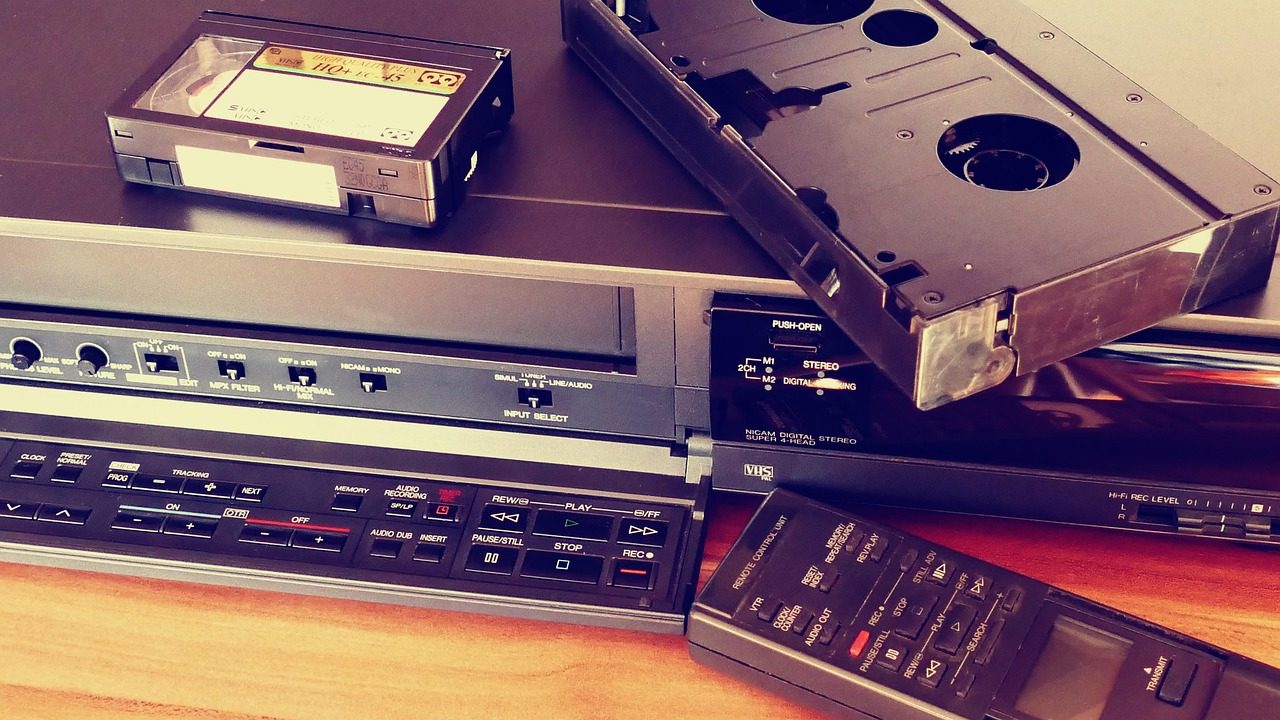
Kennett Library in Kennett Square offers separate workstations for converting home videotapes and scanning photographs. Its current VHS conversion listing and image scanning listing describe a short staff orientation followed by independent work.
For Chester County residents sorting family recordings, the first step is matching the material to the equipment. The next is planning where the resulting files will live after the library visit.
VHS tapes: Bring storage and reserve the right session
The library’s Rewind & Digitize sessions accept VHS tapes and the compact VHS C format. New users receive a 15 minute introduction, then complete their projects themselves using the library’s equipment.
Registration is required. The listing tells participants to bring their tapes and either a USB flash drive or an external hard drive. It does not specify a required drive capacity, the exported video format or support for other tape formats.
Before booking, ask staff about those details and how much material can fit into the appointment. The published workflow is a session in which patrons operate equipment, so it should not be read as an offer to leave a box of tapes for staff to convert.
People who have already completed training can email [email protected] about available independent sessions. That contact appears in both equipment listings.
Prints, slides and negatives use a different station
The Scan & Save description names an Epson FastFoto scanner for prints and an Epson flatbed for slides and film. It places that service at the AV Room’s Image Workstation, separate from the Video Workstation used for tapes.
New scanner users also receive a 15 minute orientation, and registration is required. The description does not identify exact model numbers, export settings or a storage requirement for that session. Ask about those before arriving with originals and a drive.
Material condition matters when choosing equipment. The National Archives’ guidance on digitizing family papers and photographs warns that automatic feed scanners can damage fragile, weak, bent or valuable papers. Tell library staff about delicate originals before deciding how to scan them.
The library describes scanner speed and image quality in its program listing. Those descriptions are not independent measurements of the equipment or a guarantee about a particular original.
Saving a file is only the first preservation step
The Library of Congress’ personal video guidance recommends retaining the highest quality version, giving files descriptive names and recording information about the people and subjects shown.
It also recommends keeping copies in separate locations and checking saved videos at least annually to make sure they remain readable. A drive brought home from a conversion session should therefore be part of a storage plan, rather than the only copy.
For scanned family papers and photographs, the National Archives recommends retaining the originals and keeping three digital copies across two types of storage, with one copy elsewhere. These are general preservation recommendations, not a description of backups supplied by Kennett Library.
Check the current calendar before traveling
Use the Kennett Library calendar to check dates, registration and waiting lists. An event appearing on the calendar does not establish that a place remains available.
The library’s contact page lists 320 East State Street, Kennett Square, and 610 444 2702. Confirm equipment suitability and any appointment requirements with staff before bringing materials.
For another public computer service, our Exton library laptop guide covers that location’s reservations and file saving rules. More local reporting appears in the Chester County coverage hub.
Photo: InspiredImages on Pixabay, used under CC0 as specified by Pixabay’s terms for photographs published before January 9, 2019. Illustrative stock photograph, not Kennett Library’s equipment.
Related articles
Chester County
West Chester parking payments: App, kiosks and ticket help
A guide to West Chester’s ParkMobile payments, card kiosks and ticket portal, including conflicting instructions in the borough’s parking pamphlet.
Cameras and Imaging
West Chester’s 2027 drone and camera spending proposals
West Chester’s draft lists a police drone and separate camera expenses. Earlier budget records explain the grant offset behind the body camera comparison.

Chester County
Chester County online library cards: Verification and help
Chester County library records explain online identity checks, duplicate registrations and typing errors. Here is when to apply online or ask staff for help.
Cameras and Imaging
Tredyffrin camera spending: Renewal costs and server plans
Tredyffrin’s body camera renewal lists $394,822.51 in five payments. Compare the approved renewal with separate 2027 camera and server proposals.