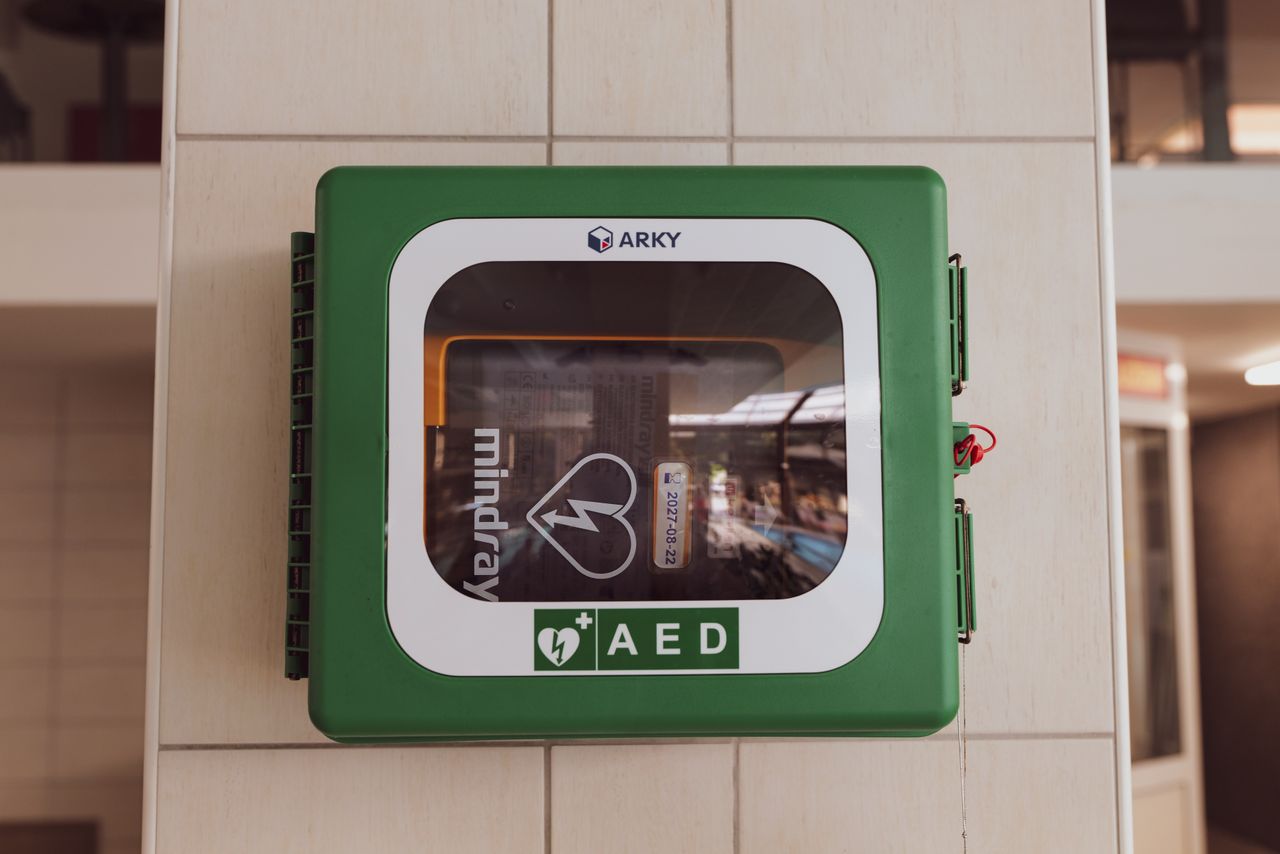
Chester County residents trained in CPR can use PulsePoint Respond to receive a request for help when a cardiac emergency occurs nearby in a public place. The county participates in the service, but looking at an incident map and signing up for CPR alerts are different steps.
The Chester County Department of Emergency Services' PulsePoint page says participating users indicate that they are trained and willing to help. Alerts go out alongside the dispatch of professional medical assistance. The app also points potential rescuers toward a nearby automated external defibrillator, or AED.
For residents deciding what to install, there are three separate uses to understand: receiving a CPR request, viewing incident information and adding an AED to the registry.
Choose the app for the task
The provider's current download page lists PulsePoint Respond for both iOS and Android. This is the app associated with nearby CPR requests and community incident notifications.
That page separately lists the NEAR Registry app, short for National Emergency AED + Resource Registry. Its purpose includes adding AEDs and other emergency resources to a shared registry. Someone recording a workplace AED and someone volunteering to receive CPR alerts therefore need different instructions.
Check the CPR alert settings
PulsePoint's responder descriptions and FAQ say public CPR responders receive cardiac arrest notifications for nearby incidents in public places. The provider separately describes responders invited or designated by agencies, whose access can include residential emergencies. Downloading the public app does not itself confer one of those agency roles.
The FAQ says the CPR notification type must be selected in settings, and the phone must be near the reported incident. Location access is part of that function. The notification distance varies by jurisdiction, so a reader should not assume that every cardiac emergency across Chester County will generate an alert on their phone.
View the county incident feed in a browser
For readers who want to browse incident information, Respond for Web offers a separate starting point. Its agency search listed Chester County, Pennsylvania, when checked October 12, 2026.
The provider's web viewer instructions explain how to open feed settings, choose Find Agencies and add an agency. A new visitor can start with Create New Feed. Incident filters let readers narrow the display or exclude medical and closed incidents.
Viewing that browser feed does not enroll someone for mobile CPR notifications. PulsePoint directs readers to the Respond mobile app for those notifications. The browser can also display an AED map layer, although the instructions caution that some layers become visible only after zooming in.
Keep emergency contact and alerts separate
PulsePoint's FAQ says a call to the local emergency number starts the public safety response that can activate an alert. The app is not a way to request emergency help instead of contacting 911.
The Wright Report's Chester County emergency texting guide explains the county's instructions when a voice call is not possible. Its ReadyChesCo account guide covers another service, through which public officials send emergency and government notices.
For someone preparing to participate in PulsePoint, the practical next step is to use the provider's download links and review the Respond notification settings before relying on the app for alerts. Browse more Chester County service guides for related local information.
Photo: Vladimir Srajber on Pexels, used under the Pexels License. Illustrative stock photograph of an AED cabinet, not a Chester County installation.
Related articles

Chester County
Chester County emergency radio: Where LTE and CAD fit
Chester County lists voice radios, LTE routers, CAD software and 33 tower sites. Its 2026 radio budget explains planned capacity work and the limits of those records.
Cameras and Imaging
East Brandywine camera upgrade: Server, audio and costs
East Brandywine approved a $38,993.59 camera and server upgrade. Its records describe network recording, audio compatibility, equipment reuse and a later deposit.
Chester County
Chester County battery disposal: Check the type first
Chester County's 2026 hazardous waste collections have ended. Check battery types, Lanchester limits and regional options before choosing a disposal route.

Chester County
ReadyChesCo alerts: What Chester County residents need to check
Check ReadyChesCo account access, township subscriptions and the difference between Chester County notices and automatic phone weather warnings.